
Facebook Live Chat for WP Plugin 2.8
- Version: 2.8
- Update: 18 October 2026
- License: GPL
- Version: 2.8
- Last Update: 18 October 2026
- License: GPL
Save up to 80% off
* Only 3 licensed products included with the offer
$25.00 Original price was: $25.00.$2.99Current price is: $2.99.
-
 Fast & Regular Updates
-
Unlimited Domain Usage
-
100% Tested & Virus- free
-
Original Product with the lowest price ever
-
Downloaded from the Original Authors
-
Instant Download at fast download speed
-
Get this product for Free with Membership.
-
24/7 Chat Support

- Version: 2.8
- Last updated: October 18, 2026
- Type: WordPress GPL Plugins
- Licence: GNU GPL v2 or later
- Developer: Developer website ↗
- Not affiliated with the developer
Can't Decide A Single Theme/Plugin?Join The Club Now
Grab the Summer Festive Sale offer. Use Coupon Code: GPLD10
Original License Products
Facebook Live Chat for WP Plugin GPL
Engage Customers in Real Time with Facebook Live Chat for WP Plugin
The Facebook Live Chat for WP Plugin is a customer communication, social messaging, and live sales conversion toolkit engineered specifically for WordPress webmasters, WooCommerce merchants, digital agencies, and customer support teams. In modern e-commerce and digital service delivery, website visitors demand immediate responses to pre-sale questions, technical inquiries, and order tracking requests. Distributed under the 100% legal Facebook Live Chat for WP Plugin GPL release, this specialized plugin directly bridges your website with your official Facebook Business Page Messenger inbox without expensive recurring third-party chat subscriptions. When you download Facebook Live Chat for WP Plugin from GPL Download, you obtain genuine, untouched source code optimized to turn casual browsing visitors into loyal paying customers effortlessly.
Every commercial website benefits tremendously from personal, friction-free customer support. The Facebook Live Chat for WP Plugin provides a sleek floating chat bubble that visitors can click to initiate real-time conversations using their personal Facebook accounts. Because chat histories persist directly inside the user’s Facebook Messenger mobile application, your sales team can follow up with prospects long after they have navigated away from your website. Whether you operate an online boutique, a digital services firm, or a consultation agency, the Facebook Live Chat for WP Plugin GPL package ensures dependable, multi-channel customer engagement. Explore our extensive WordPress plugins archive to discover complementary communication and automation tools for your sites.
What Is Facebook Live Chat for WP Plugin?
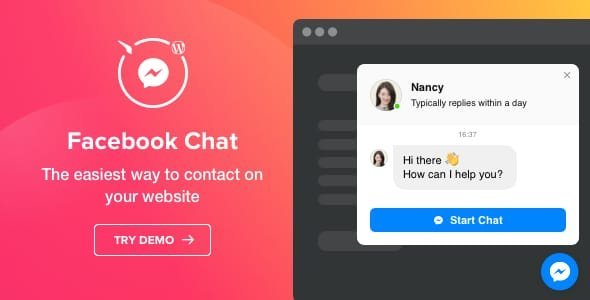
The Facebook Live Chat for WP Plugin is an interactive WordPress messaging plugin that embeds official Facebook Page Messenger live chat capabilities into WordPress websites.
Developed by NinjaTeam, the plugin simplifies customer interaction by utilizing Facebook’s customer chat SDK. According to the official Facebook Live Chat documentation, the plugin operates without requiring complex external server configurations, providing customizable chat icons, personalized greeting messages, automated reply status indicators, and granular page visibility rules.
Key Features of Facebook Live Chat for WP Plugin
This live chat extension provides an exhaustive suite of social messaging controls, branding customizers, and behavioral triggers designed to boost store engagement.
Direct Facebook Page Messenger Integration
Consolidate your customer support communications directly inside your centralized Facebook Business Page inbox.
Unified Multi-Agent Communication
Allow your entire support staff to collaborate on incoming customer inquiries directly through the Meta Business Suite or Facebook Page Manager mobile app.
Persistent Customer Chat History
Never lose a sales lead to a closed browser tab. Conversation histories remain securely archived in the customer’s personal Messenger inbox, permitting long-term remarketing and follow-up.
Guest Mode Browsing Support
Enable visitors who are not logged into Facebook to start conversations in guest mode, ensuring maximum accessibility across all visitor demographics.
Customizable Visual Styling and Positioning
Tailor the appearance of your live chat interface to match your website branding seamlessly.
Custom Floating Chat Bubbles and Icons
Position floating chat triggers along the bottom-right or bottom-left screen borders, choosing from pre-styled Messenger icons or uploading custom graphics.
Custom Theme Palette Matching
Select custom header colors, button borders, and hover accents that integrate harmoniously with your website’s primary design aesthetic.
Automated Welcome Greetings and Response Times
Display friendly personalized greeting messages that prompt visitors to start chatting, alongside transparent response time indicators (such as “Typically replies within minutes”).
Targeted Page Rules and Mobile Responsiveness
Control exactly where and when the live chat widget appears across your digital web properties.
Granular Page and Post Targeting Rules
Choose to display the chat widget site-wide or restrict its appearance to high-converting product pages, pricing tables, or cart and checkout screens.
Seamless WooCommerce Store Integration
Answer prospective buyers’ pre-sale questions directly on single product pages, eliminating hesitation and accelerating order completion rates.
Fluid Cross-Device Mobile Responsiveness
Ensure smooth, touch-friendly chat interactions across smartphones, tablets, and desktop displays with optimized mobile drawer animations.
Who Should Use Facebook Live Chat for WP Plugin?
This Facebook messaging plugin delivers significant customer engagement and sales conversion benefits across diverse online businesses.
Target Use Cases
WooCommerce E-Commerce Merchants
Store owners answering sizing questions, shipping inquiries, and stock availability questions in real time to prevent abandoned shopping carts.
Service Providers and Digital Agencies
Consultants, design studios, and freelance developers providing immediate quotes and project consultations to incoming prospective clients.
Local Businesses, Restaurants, and Salons
Brick-and-mortar establishments handling appointment bookings, menu inquiries, and operating hour questions through social channels.
Real Estate and Automobile Dealerships
Brokers and vehicle dealerships engaging prospective buyers browsing inventory listings and coordinating private viewings.
What Is Facebook Live Chat for WP Plugin GPL?
The Facebook Live Chat GPL release is distributed under the terms of the GNU General Public License (GPL). Because WordPress is licensed under the GPL, all software extensions created to operate on its framework inherit these core open-source freedoms. Freedom 2 of the GPL guarantees website developers and business owners the legal right to run, modify, inspect, and redistribute software packages across unlimited client domains without paying annual vendor seat fees.
GPL Download operates as an independent software repository providing authentic, unmodified code packages obtained directly from original developer distributions. When deploying live chat and social communication plugins on live production servers, webmasters should maintain clean database setups and review our tutorial on speeding up WordPress with GPL plugins to ensure rapid page load speeds.
Facebook Live Chat for WP Plugin GPL Download: What You Get
When you select the Facebook Live Chat for WP Plugin GPL download package from GPL Download, you obtain an authentic, enterprise-grade software distribution:
- Untouched Source Code: Receive the 100% original, verified plugin archive free from modifications, malicious code, or external developer telemetry.
- Unlimited Domain Deployments: Install and activate the plugin across unlimited personal, client, staging, and commercial production websites with total freedom.
- Continuous Version Updates: Access newly released plugin builds, security patches, and WordPress compatibility improvements as they are released.
- Unrivaled Value: Purchase this premium plugin as an economical single download or unlock unrestricted access across our entire catalog through an All-Access Membership Pass.
How to Install Facebook Live Chat for WP Plugin
Follow these standard installation steps to deploy Facebook Live Chat on your WordPress website:
- Complete your Facebook Live Chat for WP Plugin GPL download from GPL Download and save the zip archive locally.
- Log in to your WordPress administrative dashboard and navigate to Plugins > Add New > Upload Plugin.
- Select the downloaded zip file, click Install Now, and select Activate Plugin once the upload finishes.
- Navigate to the newly added Facebook Live Chat settings menu in your WordPress dashboard.
- Insert your Facebook Business Page ID to connect your site directly to your Messenger inbox.
- Customize your chat bubble position, set your greeting message, configure display rules, and save your settings to launch live chat on your site.
Facebook Live Chat Requirements and Compatibility
Review the minimum technical environment specifications required to run the plugin reliably:
| System Component | Minimum Specification | Recommended Production Environment |
|---|---|---|
| WordPress Core | 5.6 or higher | 6.4+ (Latest Stable Version) |
| PHP Engine | 7.4 or higher | 8.1 / 8.2 with OPcache active |
| Facebook Business Page | Active Public Facebook Page | Verified Facebook Business Page |
| PHP Memory Limit | 128 MB | 256 MB or higher |
| Browser Compatibility | Modern JavaScript | Chrome, Safari, Firefox, Edge, Opera |
To construct a dominant customer conversion architecture, pair this plugin with complementary solutions such as Fortune Cookie Consent, Hero Login Styler, and sales plugins like Finale WooCommerce Sales Countdown Timer.
What Is Not Included
GPL Download ensures complete transparency regarding third-party vendor boundaries and services:
- No Direct Author Ticket Support: We do not offer access to NinjaTeam’s private developer ticket queues or customized troubleshooting desks.
- No Commercial Envato Purchase Codes: Premium author license keys used exclusively for automated 1-click dashboard updates are not provided and are not required for plugin functionality.
- No Facebook Advertising Credits: Meta advertising promotional credits or third-party paid chatbot subscriptions require your own independent commercial accounts.
- No Custom Development: We provide untouched software files without offering personalized CSS styling or custom chatbot programming services.
Facebook Live Chat for WP Plugin GPL FAQs
Find clear answers to common questions regarding Messenger integration, chat history, and open-source licensing.
General and Licensing Inquiries
Can I legally use Facebook Live Chat on commercial client websites?
Yes. The plugin is distributed under the GNU General Public License, giving you the full legal right to install and use it across unlimited commercial and client projects without purchasing separate developer seats.
Does Facebook Live Chat GPL require an author license key?
No. All chat bubble customizations, greeting message controls, targeting rules, and Messenger connection settings operate completely without entering an author license key.
How do I update the plugin when a new build is released?
Simply download the updated plugin package from your GPL Download account dashboard and upload it via Plugins > Add New to replace your existing version safely.
Technical and Messaging Inquiries
Where do customer messages arrive when sent through the live chat widget?
All messages sent through the chat bubble arrive directly in your official Facebook Business Page inbox, accessible via desktop browsers or the Meta Business Suite mobile app.
Can visitors chat without logging into Facebook?
Yes. Facebook Messenger supports guest mode browsing, allowing visitors to ask questions without immediately logging into their personal accounts.
Can I display the chat widget only on WooCommerce product pages?
Yes. The targeting options allow you to designate specific post types, pages, or WooCommerce product categories where the chat bubble should appear.
Transform Visitor Inquiries with Facebook Live Chat for WP Plugin GPL Download
Elevate your customer service standard and accelerate store sales with the intuitive Facebook Live Chat for WP Plugin. By bridging website visitors directly with your official Facebook Page Messenger inbox, providing persistent chat histories, and offering flexible branding controls, this plugin empowers you to build lasting customer relationships. Sourced under the freedom of the GPL license, this tool delivers enterprise-grade live chat capabilities without recurring monthly SaaS fees. Download your verified Facebook Live Chat for WP Plugin GPL download from GPL Download today, or upgrade to an All-Access Membership Pass to explore hundreds of premium WordPress plugins and themes.
Download Facebook Live Chat for WP Plugin
Members can download this product for free or by using credits.
Important Notice: Please raise a support ticket if you don’t find the download link here.
Facebook Live Chat for WP Plugin FAQs
Buy it on its own, or join a GPL Download membership to download every product on the site. After checkout, your files are in My Account → Downloads.
Download the ZIP from My Account → Downloads. In WordPress, go to Plugins → Add New → Upload Plugin (or Appearance → Themes → Add New → Upload Theme for themes), choose the ZIP and click Install Now, then Activate.
Yes. The GPL lets you use Facebook Live Chat for WP on as many personal and client sites as you like. The developer’s licence key, support and cloud services aren’t included.
The current version on GPL Download is v2.8. For the full list of changes, see the developer’s changelog.
It’s released under the GNU General Public License, which allows redistribution. You get the same files without the developer’s licence key or support, which is why the price is lower.
Single purchases include one year of updates. Members get updates for as long as their plan is active. When a new version is out, download it from My Account → Downloads and upload it with Replace current with uploaded. If our version is behind, click Request Update on the product page or contact us.
We help with downloading, installing and setting up Facebook Live Chat for WP. We aren’t the developer, so we can’t change features or fix bugs in the developer’s code.
Reviews
You must be logged in to post a review.
Reviews
Clear filtersThere are no reviews yet.