
How to Speed Up WordPress and Pass Core Web Vitals Using GPL Caching Plugins

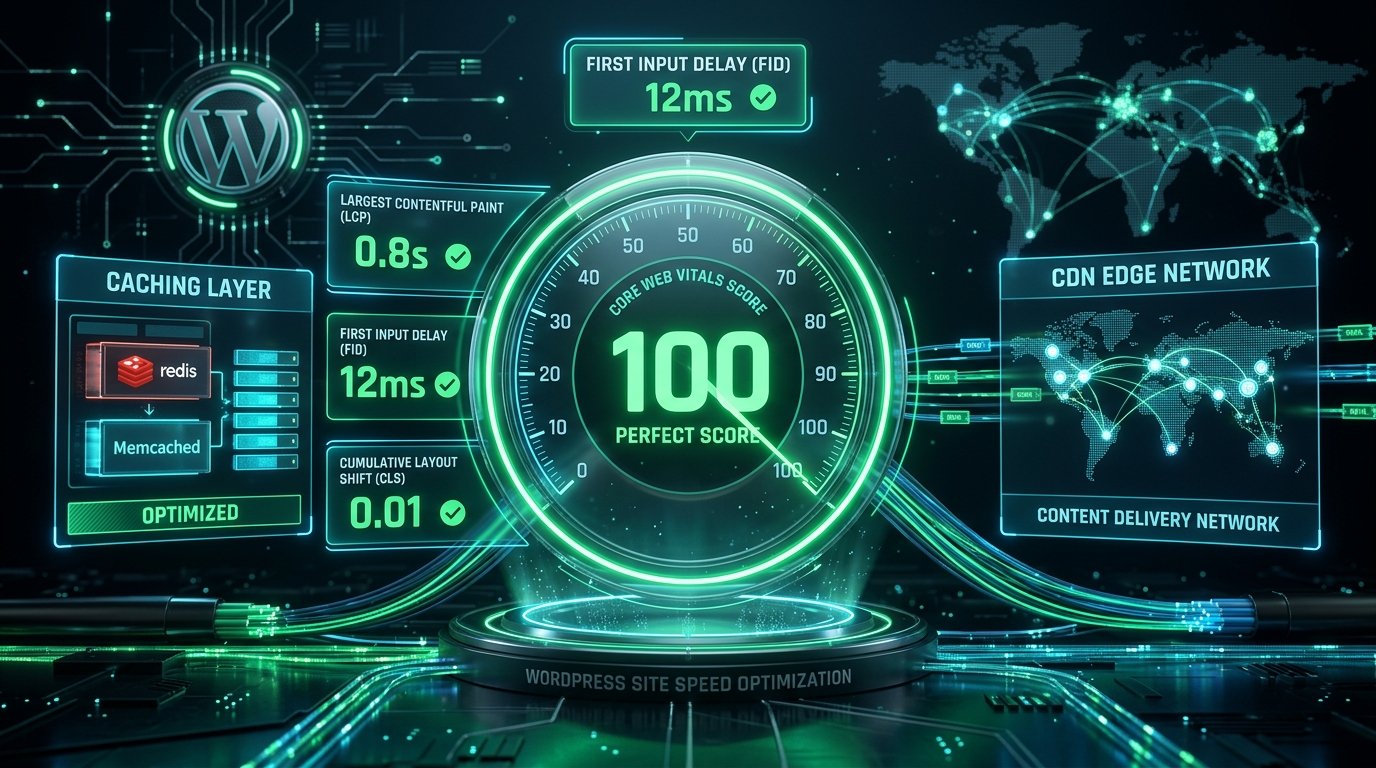
Nothing destroys visitor engagement, pay-per-click conversion rates, and organic Google rankings faster than a sluggish website. If you are wondering how to speed up WordPress GPL plugins to achieve sub-second load times and pass Google’s rigorous Core Web Vitals assessment without paying recurring yearly software fees, this guide provides the exact technical roadmap.
Google’s search algorithm directly factors user-experience metrics—specifically Largest Contentful Paint (LCP), Interaction to Next Paint (INP), and Cumulative Layout Shift (CLS)—into mobile search visibility. When a page takes longer than 2.5 seconds to render its primary content, bounce rates jump by over 123%. Fortunately, enterprise caching architecture is fully achievable using self-hosted, GPL-licensed tools.
In this walkthrough, we examine how caching layers operate, review premier performance tools in our WordPress plugins library like W3 Total Cache Pro, and configure a complete optimization stack step-by-step.
Key Takeaways
- Core Web Vitals Thresholds: Maintain an LCP under 2.5 seconds, INP under 200 milliseconds, and CLS strictly under 0.1 to secure maximum SEO ranking benefit.
- Multi-Tiered Caching: True speed requires combining page caching, browser caching, Redis/Memcached object caching, and database query reduction.
- Script Deferral Without Breakage: Delay non-critical third-party analytics and tracking scripts until user interaction, while exempting critical page builder libraries like jQuery.
- Asset Weight Reduction: Convert legacy JPEG/PNG images to modern WebP/AVIF formats, and clean up database overhead to reduce server TTFB.
- 100% Genuine GPL Access: Access premium caching engines, themes, and extensions across unlimited client sites through a GPL Download membership.
In this article
- Understanding Core Web Vitals in 2026 (LCP, INP, CLS)
- The Anatomy of WordPress Caching: 4 Essential Layers
- Top GPL Caching Plugins Reviewed
- Step-by-Step Optimization: Configuring W3 Total Cache Pro
- Database & Object Caching Architecture
- Optimizing Dynamic WooCommerce Checkout Speeds
- Common Caching Pitfalls and How to Fix Them
- FAQ: Speed Up WordPress with GPL Plugins
- Transform Your Site Performance Today
Understanding Core Web Vitals in 2026 (LCP, INP, CLS)
To speed up WordPress GPL plugins effectively, you must understand what Google’s Lighthouse and Chrome User Experience Report (CrUX) actually evaluate:
- Largest Contentful Paint (LCP): Measures perceived loading speed. It marks the point in the page load timeline when the main content (hero image, heading, or banner) has rendered. Target: Under 2.5 seconds on mobile.
- Interaction to Next Paint (INP): Replaced First Input Delay (FID) as the official responsiveness metric. It assesses overall page responsiveness by measuring the latency of all click, tap, and keyboard interactions throughout a user’s visit. Target: Under 200 milliseconds.
- Cumulative Layout Shift (CLS): Measures visual stability. It calculates unexpected layout shifts that occur while resources load asynchronously (like banner ads pushing text down). Target: Under 0.1.
- Time to First Byte (TTFB): The fundamental foundation. The time it takes for a browser to receive the very first byte of data from your web server. Target: Under 800 milliseconds (ideally under 300ms with page caching).
The Anatomy of WordPress Caching: 4 Essential Layers
Every time a visitor requests an uncached WordPress page, PHP must execute thousands of lines of code, query the MySQL database dozens of times, assemble the HTML structure, and return it to the browser. Under traffic surges, this causes severe CPU spikes. A proper performance stack resolves this through four complementary caching tiers:
- Page Caching (Static HTML Generation): Converts dynamic PHP pages into pre-rendered static HTML files on the server’s disk or memory. Subsequent visitors receive raw HTML immediately, reducing server response times from 1,500ms down to 50ms.
- Browser Caching (Cache-Control Headers): Instructs the user’s browser (Chrome, Safari, Firefox) to save static assets (logos, CSS stylesheets, JavaScript files) locally on their device, eliminating re-downloading on return visits.
- Object Caching (Redis & Memcached): Persists the results of complex database queries in RAM. When WooCommerce queries product prices or user session meta, the server pulls from memory instead of hitting MySQL disk storage.
- Opcode Caching (PHP OPcache): Compiles human-readable PHP scripts into bytecode in server memory, preventing the server from recompiling PHP files on every execution.
Top GPL Caching Plugins Reviewed
Here are the premier self-hosted performance engines available for WordPress developers:
1. W3 Total Cache Pro
The W3 Total Cache Pro extension is the definitive enterprise-grade caching suite. Unlike simplified plugins that only toggle basic options, W3 Total Cache Pro gives developers surgical control over every aspect of site performance.
- Full Fragment Caching: Cache dynamic portions of pages separately, allowing you to cache complex pages while keeping shopping carts and member widgets personalized.
- Native CDN Integration: Integrates directly with Cloudflare, Amazon CloudFront, StackPath, and generic S3 buckets to offload media and static files seamlessly.
- Advanced Minification and Asset Grouping: Combine, minify, and re-order CSS and JavaScript files with granular non-blocking execution options.
- Full Extension Ecosystem: Built-in modules for AMP, Genesis theme framework, WPML, and automated database caching.
2. WP Rocket (GPL Edition)
WP Rocket is celebrated for its ease of use. It activates 80% of standard web performance best practices automatically upon activation (GZIP compression, page caching, and browser caching).
- Remove Unused CSS (RUCSS): Automatically scans pages, extracts used CSS, and generates inline critical CSS to achieve lightning-fast mobile LCP.
- Delay JavaScript Execution: Suspends non-essential tracking and marketing scripts until the user taps, scrolls, or moves their mouse, dramatically improving INP.
- Preload Cache Engine: Automatically crawls sitemaps to pre-render cache files before human visitors arrive.
3. LiteSpeed Cache (LSCache)
If your WordPress site is hosted on a LiteSpeed or OpenLiteSpeed web server (such as Hostinger, NameHero, or A2 Hosting), LiteSpeed Cache interfaces directly with server-level cache modules, offering unbeatable TTFB performance.
- Server-Level Architecture: Bypasses PHP execution entirely for static page requests.
- Cloud Image Optimization via QUIC.Cloud: Automatically converts uploaded JPEG and PNG images into compressed WebP formats on external cloud servers.
- Database Optimization Utilities: Cleans out post revisions, auto-drafts, and expired transient options with a single click.
Performance Benchmark: Caching Engines Compared
| Performance Engine | Page Caching | Object Caching (Redis) | Delay JavaScript (INP) | Fragment Caching | Agency Pricing |
|---|---|---|---|---|---|
| W3 Total Cache Pro | Disk / Memcached / Redis | Yes (Native) | Yes (Custom Deferral) | Yes (Enterprise) | $0 with GPL Membership |
| WP Rocket | Disk Enhanced | Third-party plugin required | Yes (Automated) | No | $299/yr for agency |
| LiteSpeed Cache | Server-Level (LSCache) | Yes (Redis/Memcached) | Yes (Guest Mode) | ESI Supported | Free (Server-locked) |
| Breeze (Cloudways) | Varnish / Disk | Redis supported | Basic Minification | No | Free basic tool |
Step-by-Step Optimization: Configuring W3 Total Cache Pro
To achieve top-tier performance on your live site, follow this optimal configuration blueprint using W3 Total Cache Pro:
Step 1: Configure Page Cache
Navigate to Performance ➔ General Settings ➔ Page Cache:
- Enable Page Cache.
- Set Page Cache Method to Disk: Enhanced (standard hosting) or Redis (dedicated VPS).
- Under Page Cache settings, ensure “Don’t cache pages for logged-in users” is checked to prevent customer dashboard caching.
Step 2: Enable Browser Cache and Security Headers
Go to Performance ➔ Browser Cache:
- Check the Set-Last-Modified header and the Set-Expires header.
- Set CSS & JavaScript expires lifetime to 31,536,000 seconds (1 year).
- Enable Set-Entity-Tag (ETag) and enable HTTP (gzip) compression.
Step 3: Fine-Tune Minification and JavaScript Deferral
JavaScript is the primary culprit behind poor INP scores. Under Performance ➔ Minify:
- Enable Minify Mode: Manual (gives you control to avoid breaking page builder scripts).
- Set JS Minifier to Terser or JSMin.
- Set Embed Type for non-blocking scripts to “Defer” or “Async”.
- Exclude critical jQuery core files (e.g.
jquery.js) from minification to protect cart popups, checkout validation, and interactive menus.
**Tip:** Always test your checkout funnel and interactive widgets after enabling JavaScript deferral to confirm seamless shopping cart operations.
Database & Object Caching Architecture
Dynamic stores (especially WooCommerce marketplaces and membership portals) cannot serve static HTML to users who are logged in or adding items to their basket. When page caching is bypassed, Persistent Object Caching takes over.
By connecting WordPress to a Redis or Memcached in-memory store, complex database queries are cached in high-speed RAM. When a shopper navigates between products, updates quantities, or checks out with WooCommerce cart recovery extensions, the server retrieves session variables in less than 2 milliseconds.
Optimizing Dynamic WooCommerce Checkout Speeds
Speeding up an e-commerce store requires balancing aggressive caching with dynamic personalization. Ensure you apply these crucial store exemptions:
- Strict Cart & Checkout Exclusions: In your caching settings, permanently exclude
/cart/*,/checkout/*, and/my-account/*from static page caching. - Lightweight Theme Architecture: Pairing heavy page builders with unoptimized themes bloats DOM size. Use clean, mobile-optimized foundations like Savoy Minimalist AJAX WooCommerce Theme or pre-engineered Elementor template kits.
- Safe Staging Migrations: When cloning or migrating production stores to test speed improvements, utilize All-in-One WP Migration Pro to preserve clean database configurations. Learn more about reliable site transfers in our best WordPress migration plugins guide.
Common Caching Pitfalls and How to Fix Them
If you encounter unexpected styling anomalies or broken functions after enabling caching, verify these troubleshooting steps:
- Running Multiple Caching Plugins Concurrently: Never install two page-caching plugins simultaneously (e.g., running WP Super Cache alongside W3 Total Cache). Redundant caching engines cause conflicting header rules and erratic behavior.
- Over-Aggressive CSS Concatenation: Combining every CSS file into one giant bundle can actually delay First Contentful Paint. Use separate minification or exclude above-the-fold critical CSS.
- Forgetting to Purge Server and CDN Caches: After pushing theme or plugin updates, always purge both your WordPress caching plugin and your edge CDN (Cloudflare) to ensure visitors receive fresh assets.
- Ignoring Unused Plugins: Caching cannot fix a site burdened with 65 bloated plugins. Audit your active plugin list and remove unnecessary scripts.
FAQ: Speed Up WordPress with GPL Plugins
Can caching plugins break my WordPress site?
Page caching rarely breaks sites. However, aggressive JavaScript minification and deferral can cause visual glitches if essential scripts are delayed improperly. If an issue occurs, simply disable JS minification or exclude the affected script in plugin settings.
What is the ideal TTFB for a fast WordPress site?
An optimal Time to First Byte (TTFB) is under 200 to 500 milliseconds. With properly configured page caching and Cloudflare edge delivery, TTFB often drops below 100 milliseconds globally.
Do I need a paid CDN if I already have a caching plugin?
While a caching plugin handles local server performance, a Content Delivery Network (CDN) like Cloudflare or BunnyCDN serves static files from data centers closest to your visitors, dramatically reducing international latency.
Are GPL performance plugins fully functional without license keys?
Yes. All core performance algorithms, caching engines, and minification features operate 100% unrestricted under the GPL license. All archives on GPL Download are verified, clean, and safe for production sites. Review our Why GPL Download platform overview and GPL marketplace rankings for complete details.
Transform Your Site Performance Today
Speed is not a luxury in modern web development; it directly governs your search engine rankings, ad quality scores, and conversion revenue. By pairing robust caching engines like W3 Total Cache Pro with image optimization and smart script deferral, you can consistently achieve 95+ Google Lighthouse scores and deliver exceptional user experiences.
Supercharge All Your Websites with Unlimited GPL Tools
Join over 45,000+ developers worldwide. Access 25,000+ premium themes, plugins, and Elementor kits with 100% genuine code, unlimited domain freedom, and an unconditional 7-day money-back guarantee.
Related Reading: Best WordPress Migration Plugins · Top WooCommerce Cart Recovery Plugins · Why GPL Download Platform Standards
Tags: WordPress Speed, Core Web Vitals, Caching Plugins, Performance Optimization
