
Advanced iFrame Pro WordPress Plugin 2026.2
- Version: 2026.2
- Update: 18 October 2026
- License: GPL
- Version: 2026.2
- Last Update: 18 October 2026
- License: GPL
Save up to 80% off
* Only 3 licensed products included with the offer
$19.00 Original price was: $19.00.$2.99Current price is: $2.99.
-
 Fast & Regular Updates
-
Unlimited Domain Usage
-
100% Tested & Virus- free
-
Original Product with the lowest price ever
-
Downloaded from the Original Authors
-
Instant Download at fast download speed
-
Get this product for Free with Membership.
-
24/7 Chat Support

- Version: 2026.2
- Last updated: October 18, 2026
- Type: WordPress GPL Plugins
- Licence: GNU GPL v2 or later
- Developer: Developer website ↗
- Not affiliated with the developer
Can't Decide A Single Theme/Plugin?Join The Club Now
Grab the Summer Festive Sale offer. Use Coupon Code: GPLD10
Original License Products
Advanced iFrame Pro WordPress Plugin GPL
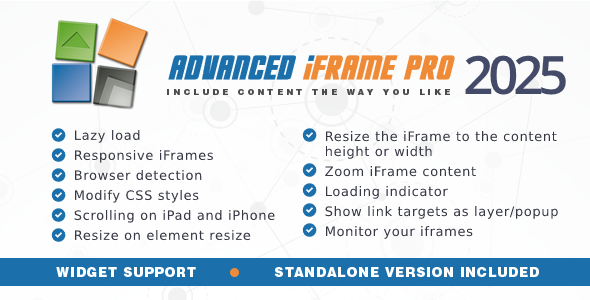
Advanced iFrame Pro embeds external or internal pages with full control: resize the iframe to its content, show only part of a page, hide elements and style the embedded page. This Advanced iFrame Pro GPL download includes the original plugin files.
Key features
- Auto height: resize iframes to fit their content.
- Show part of a page: display only a selected area.
- Hide and restyle: remove or restyle elements on same-domain pages.
- Lazy loading: load iframes only when needed.
- Responsive embeds: scale content for phones and tablets.
- Shortcode and block: embed anywhere.
What’s included
- The original, unmodified plugin ZIP as released by the developer
- Instant download from My Account → Downloads
- One year of updates: download each new version from your account and install it
- Use on unlimited sites, including client projects, as the GPL allows
Not included: the developer’s licence key, their support desk, automatic one-click updates and any features that run on the developer’s own servers. GPL Download is not affiliated with the developer.
Requirements
- WordPress 5.8 or newer and PHP 7.4 or newer
How to install
- Download the plugin ZIP from My Account → Downloads.
- In WordPress, go to Plugins → Add New → Upload Plugin, choose the ZIP and click Install Now.
- Click Activate. If the plugin asks for a licence key, dismiss the notice; the plugin works without it.
- To update later, upload the new version the same way and choose Replace current with uploaded.
FAQ
Can I hide parts of an embedded page?
Yes, for pages on the same domain. Cross-domain pages have browser restrictions.
Does it resize iframes automatically?
Yes. Auto height is supported.
Can I embed any website?
Only sites that allow embedding. Some sites block iframes.
Browse more GPL plugins, or get every item with a GPL Download membership.
Download Advanced iFrame Pro WordPress Plugin
Members can download this product for free or by using credits.
Important Notice: Please raise a support ticket if you don’t find the download link here.
Advanced iFrame Pro WordPress Plugin FAQs
Buy it on its own, or join a GPL Download membership to download every product on the site. After checkout, your files are in My Account → Downloads.
Download the ZIP from My Account → Downloads. In WordPress, go to Plugins → Add New → Upload Plugin (or Appearance → Themes → Add New → Upload Theme for themes), choose the ZIP and click Install Now, then Activate.
Yes. The GPL lets you use Advanced iFrame Pro on as many personal and client sites as you like. The developer’s licence key, support and cloud services aren’t included.
The current version on GPL Download is v2026.2. For the full list of changes, see the developer’s changelog.
It’s released under the GNU General Public License, which allows redistribution. You get the same files without the developer’s licence key or support, which is why the price is lower.
Single purchases include one year of updates. Members get updates for as long as their plan is active. When a new version is out, download it from My Account → Downloads and upload it with Replace current with uploaded. If our version is behind, click Request Update on the product page or contact us.
We help with downloading, installing and setting up Advanced iFrame Pro. We aren’t the developer, so we can’t change features or fix bugs in the developer’s code.
Reviews
You must be logged in to post a review.
Reviews
Clear filtersThere are no reviews yet.