
Logger -Changelog and Custom List for Elementor 1.0.10
- Version: 1.0.10
- Update: 15 October 2026
- License: GPL
- Version: 1.0.10
- Last Update: 15 October 2026
- License: GPL
Save up to 80% off
* Only 3 licensed products included with the offer
$19.00 Original price was: $19.00.$2.99Current price is: $2.99.
-
 Fast & Regular Updates
 -
Unlimited Domain Usage
-
100% Tested & Virus- free
-
Original Product with the lowest price ever
-
Downloaded from the Original Authors
-
Instant Download at fast download speed
-
Get this product for Free with Membership.
-
24/7 Chat Support

- Version: 1.0.10
- Last updated: October 15, 2026
- Type: WordPress GPL Plugins
- Licence: GNU GPL v2 or later
- Developer: Developer website ↗
- Not affiliated with the developer
Can't Decide A Single Theme/Plugin?Join The Club Now
Grab the Summer Festive Sale offer. Use Coupon Code: GPLD10
Original License Products
Logger -Changelog and Custom List for Elementor GPL
Logger -Changelog and Custom List for Elementor GPL: Software Release Notes and Timeline Architecture for Elementor
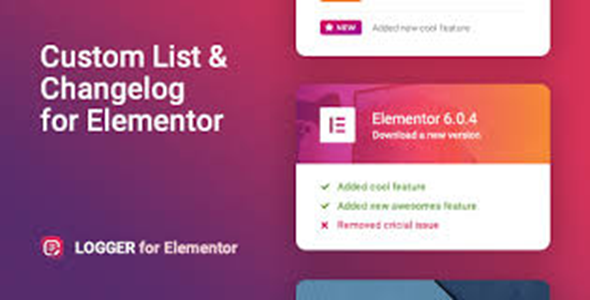
Modern software development teams, SaaS companies, digital product creators, and WordPress plugin authors require a structured, transparent mechanism to communicate version histories, bug fixes, feature releases, and project roadmaps to their users. The Logger -Changelog and Custom List for Elementor delivers a dedicated, responsive changelog and release notes framework engineered specifically for the Elementor page builder ecosystem. Distributed under the Logger -Changelog and Custom List for Elementor GPL, this premier documentation widget empowers site owners to publish beautiful version logs, release milestone timelines, and custom badge-annotated lists without writing custom CSS code or paying recurring developer subscriptions.
Software developers, product managers, and agency webmasters can obtain the Logger -Changelog and Custom List for Elementor GPL Download to unlock versatile timeline layouts, customizable status badges, interactive date filters, and responsive typography controls across unlimited client websites. By exploring our complete WordPress plugins catalog and reviewing essential optimization practices in our guide on how to speed up WordPress GPL plugins, administrators can sustain rapid page rendering, lightweight stylesheet delivery, and clear visual communication across all desktop and mobile viewports.
What Is Logger -Changelog and Custom List for Elementor?
The Logger -Changelog and Custom List for Elementor is an official changelog and version history display addon for Elementor, developed to present software update logs and release notes in modern visual formats.
Built strictly according to modern WordPress standards and supported by comprehensive developer documentation, this plugin pairs deep Elementor integration with lightweight asset delivery. Rather than publishing messy, unformatted bulleted lists or plain text blocks that users overlook, this widget introduces clean timeline tracks, collapsible version cards, and color-coded status badges that make exploring product evolution straightforward and engaging.
Key Features of Logger -Changelog and Custom List for Elementor
The technical foundation of the Logger -Changelog and Custom List for Elementor combines versatile timeline templates, informative update badges, and deep styling customization.
Diverse Changelog and Version History Layouts
Showcase product evolution using multiple display formats designed to enhance technical transparency.
Vertical Version Timeline Displays
Display release milestones in chronological order along a central vertical axis with release date markers, version numbers, and highlight icons.
Collapsible Accordion Version Cards
Allow users to expand and collapse specific historical releases, keeping long documentation pages compact and easily navigable.
Clean Minimalist Custom List Formats
Present feature updates, system announcements, or step-by-step documentation guides using numbered or bulleted list presets with custom iconography.
Color-Coded Status Badges and Change Categorization
Clearly communicate the nature of every code update and feature enhancement.
Pre-Configured Update Badges
Incorporate instant visual tags for New features, Bug Fixes, Performance Improvements, Security Patches, and Deprecated functions.
Custom Badge Color Schemes and Labels
Define bespoke badge text and custom accent colors to match your internal release terminology and company branding.
Structured Item Sub-Lists
Organize complex release logs into logical subgroups showing frontend enhancements, backend API adjustments, and resolved customer tickets.
Additionally, the widget provides comprehensive date formatting options and tag filtering controls. Administrators can display release dates in international numeric formats or human-friendly relative time notations, ensuring clear contextual understanding for global software users.
Granular Elementor Visual Styling and Responsive Controls
Exercise complete authority over your documentation typography, spacing, and responsive behaviors.
Custom Typography and Google Fonts Scales
Configure distinct font weights, letter spacing, and line heights for version titles, release dates, badge labels, and description body copy.
Flexible Spacing, Borders, and Shadows
Adjust card paddings, timeline margins, border radii, and subtle box shadows to harmonize the changelog with your overarching website theme.
Mobile Touch and Responsive Optimization
Automatically reorganizes dual-column timeline tracks into streamlined single-column layouts on smartphones and tablets, preserving readability.
Furthermore, developers can utilize comprehensive action hooks and filter parameters embedded throughout the widget rendering pipeline. This enables advanced engineering teams to inject dynamic release tags or connect external webhook notifications effortlessly.
Who Should Use This Changelog Plugin?
The Logger -Changelog and Custom List for Elementor provides extraordinary documentation utility across diverse digital technology operations.
Target Web Applications
SaaS Software Platforms and Cloud Applications
Keep paying subscribers and enterprise clients informed of platform updates, new API endpoints, and scheduled maintenance windows.
WordPress Theme and Plugin Developers
Showcase transparent version logs, companion compatibility updates, and resolved GitHub issues to build developer trust.
Digital Product Marketplaces and App Creators
Publish regular feature additions and performance improvements for mobile apps, desktop software, and digital templates.
Corporate IT Departments and Intranet Portals
Document internal software deployments, network infrastructure upgrades, and system policy updates for corporate staff members.
What Is Logger -Changelog and Custom List for Elementor GPL?
The Logger -Changelog and Custom List for Elementor GPL represents the open-source distribution of this documentation widget under the provisions of the GNU General Public License v3.0.
The GPL framework guarantees fundamental software liberties to developers, webmasters, and creators worldwide. Under Freedom 2, you retain the unhindered legal authority to run, modify, and redistribute the software across unlimited WordPress websites. Because WordPress plugins operate directly within the core WordPress environment, their derivative code falls under the open-source GPL license. Choosing this verified distribution framework eliminates artificial domain activations and recurring licensing overhead, allowing software teams to deliver transparent documentation without ongoing software tax.
Logger -Changelog and Custom List for Elementor GPL Download: What You Get
Acquiring this verified package from GPL Download provides a pristine, production-ready widget archive ready for immediate deployment.
Every download contains the complete, untouched plugin files matching the latest stable release from the developer. Each package undergoes thorough malware screening to verify zero malicious code, advertising backdoors, or unauthorized modifications. You receive full multi-site deployment rights across personal projects, staging environments, and client websites. For development agencies managing numerous web design accounts, our All-Access Membership Pass grants unrestricted daily downloads across our entire library of verified themes and plugins.
How to Install Logger -Changelog and Custom List for Elementor
Installing the Logger -Changelog and Custom List for Elementor on an active WordPress installation requires only a few standard steps.
- Confirm Core Prerequisites: Ensure your website runs WordPress 5.8 or higher, PHP 7.4 or higher, and has Elementor active.
- Download the Genuine Addon: Obtain the authenticated plugin archive from the verified Logger -Changelog and Custom List for Elementor GPL Download repository page.
- Upload to WordPress: In your WordPress administrative dashboard, navigate to Plugins > Add New > Upload Plugin, select the downloaded zip file, and click Install Now.
- Activate the Plugin: Click Activate Plugin to register the Logger changelog widget inside your Elementor toolbox.
- Add Widget to Layout: Open any page with Elementor, search for the Logger widget in the sidebar, and drag it into your desired layout section.
- Add Release Entries: Populate your version numbers, release dates, update notes, and assign color-coded status badges.
- Publish Your Changelog: Preview your responsive timeline across desktop and mobile viewports, and publish your transparent release notes to visitors worldwide.
Technical Requirements and Catalog Synergies
The Logger -Changelog and Custom List for Elementor is engineered with clean modular CSS and lightweight JavaScript to ensure rapid page load speeds and broad plugin compatibility.
| System Parameter | Minimum Requirement | Optimized Recommendation |
|---|---|---|
| WordPress Version | WordPress 5.8+ | WordPress 6.4+ |
| PHP Environment | PHP 7.4 minimum | PHP 8.1 / 8.2 |
| Page Builder | Elementor 3.0+ Active | Latest Elementor Core |
| Browser Support | Modern CSS3 & HTML5 | Modern Chrome, Firefox, Safari, Edge |
| Mobile Compatibility | Touch & Responsive | iOS Safari & Android Chrome |
| Domain Licensing | GPL Open Source | Unlimited client domains |
Complement your product documentation capabilities by exploring other top-tier visual plugins across our catalog, including kinetic typography animations with Motionger – Animated Heading For Elementor WP Plugin, smooth loading screens via PageLoader – Loading Screen and Progress Bar for WP, and universal accessibility features powered by Readabler WordPress Accessibility Plugin.
What Is Not Included
To ensure total commercial transparency regarding our GPL catalog, please review the specific items excluded from this package:
- No Direct Author Help Desk Support: We do not provide one-on-one ticketing support from the original plugin developer. Comprehensive official documentation and configuration guides are freely accessible online.
- No Proprietary Activation Keys: The plugin functions fully without license keys. You do not receive developer license codes or private vendor registration keys.
- No Third-Party Paid API Subscriptions: External GitHub repository syncing APIs, proprietary cloud release note trackers, or paid stock media sold separately are not included.
- No Bespoke Documentation Services: We supply pristine, uncompromised plugin files but do not provide custom CSS coding, technical copywriting, or private server maintenance.
Frequently Asked Questions
Licensing and Commercial Usage
Is the GPL version of this changelog widget legal for client websites?
Yes. The Logger -Changelog and Custom List for Elementor GPL is fully legal under the terms of the GNU General Public License. You are legally authorized to deploy and customize this plugin on commercial client websites without paying recurring per-site licensing fees.
Can I install this plugin on unlimited client domains?
Yes. Because the software is distributed under the open-source GPL framework, there are no artificial domain locks. You can deploy the plugin across unlimited commercial, client, and personal staging websites.
Where can I download the authentic verified package?
You can acquire the verified, virus-scanned Logger -Changelog and Custom List for Elementor GPL Download directly from our catalog at GPL Download as an individual purchase or through our membership pass.
Technical and Design Queries
Does this plugin require Elementor Pro to function?
No. The plugin operates smoothly with both the free core version of Elementor and Elementor Pro, providing advanced changelog layouts without requiring paid builder upgrades.
Can I add custom badges like Security or Deprecated?
Yes. The widget allows you to define custom badge labels and assign unique background and text colors to highlight security announcements or deprecated code.
Is the changelog timeline responsive on mobile devices?
Yes. The timeline automatically collapses into an intuitive single-column layout on smaller smartphone viewports, ensuring clear readability on handheld devices.
Build Customer Trust With Logger -Changelog and Custom List for Elementor
Transparent product communication demonstrates active development and builds lasting customer loyalty. The Logger -Changelog and Custom List for Elementor transforms standard software update notes into polished, timeline-driven showcases that prove your commitment to quality and innovation. Choose the verified Logger -Changelog and Custom List for Elementor GPL today, or obtain the complete download archive from our catalog to deliver elegant, professional release notes across all your WordPress websites.
Download Logger -Changelog and Custom List for Elementor
Members can download this product for free or by using credits.
Important Notice: Please raise a support ticket if you don’t find the download link here.
Logger -Changelog and Custom List for Elementor FAQs
Buy it on its own, or join a GPL Download membership to download every product on the site. After checkout, your files are in My Account → Downloads.
Download the ZIP from My Account → Downloads. In WordPress, go to Plugins → Add New → Upload Plugin (or Appearance → Themes → Add New → Upload Theme for themes), choose the ZIP and click Install Now, then Activate.
Yes. The GPL lets you use Logger for Elementor on as many personal and client sites as you like. The developer’s licence key, support and cloud services aren’t included.
The current version on GPL Download is v1.0.10. For the full list of changes, see the developer’s changelog.
It’s released under the GNU General Public License, which allows redistribution. You get the same files without the developer’s licence key or support, which is why the price is lower.
Single purchases include one year of updates. Members get updates for as long as their plan is active. When a new version is out, download it from My Account → Downloads and upload it with Replace current with uploaded. If our version is behind, click Request Update on the product page or contact us.
We help with downloading, installing and setting up Logger for Elementor. We aren’t the developer, so we can’t change features or fix bugs in the developer’s code.
Reviews
You must be logged in to post a review.
Reviews
Clear filtersThere are no reviews yet.