
Advanced Justified Blog Design Layout 1.0
- Version: 1.0
- Update: 18 October 2026
- License: GPL
- Version: 1.0
- Last Update: 18 October 2026
- License: GPL
Save up to 80% off
* Only 3 licensed products included with the offer
$19.00 Original price was: $19.00.$2.99Current price is: $2.99.
-
 Fast & Regular Updates
-
Unlimited Domain Usage
-
100% Tested & Virus- free
-
Original Product with the lowest price ever
-
Downloaded from the Original Authors
-
Instant Download at fast download speed
-
Get this product for Free with Membership.
-
24/7 Chat Support

- Version: 1.0
- Last updated: October 18, 2026
- Type: WordPress GPL Plugins
- Licence: GNU GPL v2 or later
- Developer: Developer website ↗
- Not affiliated with the developer
Can't Decide A Single Theme/Plugin?Join The Club Now
Grab the Summer Festive Sale offer. Use Coupon Code: GPLD10
Original License Products
Advanced Justified Blog Design Layout GPL
Advanced Justified Blog Design Layout GPL: Fluid Grid Presentation for WordPress
Modern digital editorial publications, creative portfolio showcases, and corporate blogs need engaging visual feeds that display mixed media aspect ratios without awkward white space or uneven column breaks. The Advanced Justified Blog Design Layout is a professional WordPress layout engine and display addon created to solve this challenge, turning standard blog archives into fluid, edge-to-edge justified grids. Distributed under the Advanced Justified Blog Design Layout GPL license, this tool gives agencies, web designers, and site owners complete freedom to deploy balanced article feeds across unlimited domains without paying recurring developer fees or restrictive seat licenses.
Whether you manage an editorial magazine with diverse landscape photography, a design studio portfolio, or a corporate blog, this plugin automatically scales and balances post thumbnails into harmonious, justified rows. Securing your verified Advanced Justified Blog Design Layout GPL download through GPL Download provides clean, untouched developer code that seamlessly integrates into your existing WordPress workflow while keeping design overhead sustainable.
To explore more high-performance visual tools for your publishing stack, explore our complete catalog of WordPress plugins, read our in-depth guide on the best GPL sites for WordPress resources, or learn how to optimize image delivery and rendering speeds in our guide to speed up WordPress and pass Core Web Vitals.
What Is Advanced Justified Blog Design Layout?
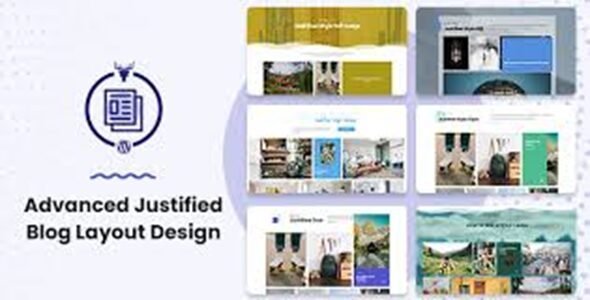
Advanced Justified Blog Design Layout is an advanced WordPress layout extension that arranges blog posts, featured media, and custom post types into an automatically calculated, justified photo-style grid. It eliminates jagged columns by scaling thumbnail heights and widths to create a completely flush horizontal alignment across any viewport size.
Unlike standard static column layouts that leave empty voids when excerpts or image dimensions vary, this layout extension calculates optimal image proportions in real time. As explained in the official developer documentation, the engine employs adaptive aspect-ratio algorithms and CSS flexbox structures to align content into continuous rows. Visitors enjoy an interactive reading experience enhanced by smooth slide-up hover cards, integrated category filter bars, and interactive lightbox media viewing without manual CSS adjustments.
The plugin operates as a versatile visual module that works harmoniously with modern WordPress block themes, classic themes, and popular page builders like Elementor, rendering smoothly without causing cumulative layout shifts or dragging down page performance metrics.
Key Features of Advanced Justified Blog Design Layout
The layout extension combines mathematical grid balancing with modern interactive user experience tools. Below is an overview of its core functional capabilities.
Automated Justified Alignment and Media Scaling
Achieving a flush layout requires sophisticated media scaling that preserves image sharpness while balancing row geometry.
Real-Time Aspect Ratio Calculation Engine
The core algorithm analyzes the natural width-to-height ratio of every post featured image. Rather than cropping pictures haphazardly, the engine dynamically adjusts container dimensions to ensure each horizontal row fills 100% of the content container with zero awkward gaps or trailing white space.
Responsive Multi-Row Justification Across Screen Breakpoints
The layout engine continuously calculates row geometry across desktop monitors, laptops, tablets, and smartphones, letting administrators configure target row heights for different screen widths to ensure optimal visual density.
Interactive Visual Effects and Dynamic Hover Cards
Elevating a blog archive requires engaging hover interactions that encourage readers to click through to full articles.
Smooth Slide-Up Information Overlay on Hover
When a reader hovers over a post card, an elegant overlay card smoothly slides upward from the bottom of the thumbnail, revealing the article title, author metadata, publication date, category badge, and concise excerpt.
Integrated Lightbox Media Viewing
The extension features built-in lightbox integration, allowing readers to view high-resolution photography in a full-screen modal without navigating away from the main blog index.
Query Filtering, Taxonomies, and Custom Post Types
Editorial versatility requires the ability to showcase diverse content collections beyond standard WordPress blog posts.
Full Custom Post Type and Custom Taxonomy Support
The layout engine is not restricted to standard posts. You can deploy the justified grid to display WooCommerce products, real estate listings, podcast episodes, portfolio projects, or case studies with comprehensive taxonomy filtering.
Live Ajax Category Filtering Bars
Visitors can click category badges positioned above the grid, instantly filtering visible articles with smooth transition animations without triggering a full browser refresh.
Fluid Pagination and Dynamic Content Ingestion
Keeping audience attention across deep content archives demands friction-free pagination methods.
Ajax Load More and Infinite Scroll Capabilities
The extension supports Ajax-powered “Load More” buttons as well as automated infinite scrolling, keeping readers engaged longer and reducing bounce rates.
Granular Color, Typography, and Spacing Customization
The addon includes comprehensive styling controls for overlay background transparency, typography font sizes, hover colors, button accents, category tag shapes, and border radii.
Who Should Use Advanced Justified Blog Design Layout?
The flexible grid architecture of this plugin serves creators, agencies, and publishers who need visually arresting content archives:
Target Use Cases
Explore how diverse digital publishers leverage this layout plugin to enhance reader engagement:
Digital Magazine and News Editors
Publications featuring varied photography benefit from flush justified rows, delivering a clean editorial feel across all issues.
Creative Agencies and Freelance Web Designers
Agencies building bespoke client websites can install Advanced Justified Blog Design Layout across numerous client projects, delivering customized, interactive blog feeds that add immediate commercial polish.
Photography, Architecture, and Travel Bloggers
Justified grids respect photographic compositions, ensuring vertical and horizontal captures sit side by side in balanced harmony with built-in lightbox magnification.
WooCommerce and E-Commerce Brand Journals
Store owners running content marketing campaigns can connect the justified layout to their product stories, encouraging organic product discovery and driving higher store conversions.
Understanding Open Source Licensing and the GPL
To understand the foundation of Advanced Justified Blog Design Layout GPL, it is helpful to examine how open-source licensing governs WordPress. WordPress itself is published under the GNU General Public License (GPL). Because plugins link into WordPress core hooks, PHP functions, and database structures, they are legally classified as derivative works that inherit the open-source provisions of the GPL.
Under Freedom 2 of the GNU GPL, anyone who acquires GPL software has the right to run, inspect, modify, and redistribute that code without restriction. You receive the complete plugin package free from proprietary domain locks or remote activation gates.
GPL Download operates as an independent software distributor. We purchase legitimate developer licenses directly from original authors and redistribute clean, unmodified copies under GPL terms. GPL Download is not affiliated with, endorsed by, or sponsored by ThemesAwesome or Envato. We empower web professionals to access enterprise-grade WordPress tools legally, ethically, and affordably.
Advanced Justified Blog Design Layout GPL Download: What You Get
When you complete your Advanced Justified Blog Design Layout GPL download from GPL Download, you receive an authentic, production-ready software archive configured for immediate deployment:
- Clean, Untouched ZIP Archive: You receive the identical, original plugin zip package released by the developer, verified through multi-engine malware scans and checksum integrity checks.
- Unrestricted Multi-Site Freedom: Deploy the plugin across as many client sites, staging environments, personal projects, and live client domains as you wish without domain quotas.
- Complete Core Feature Access: All justified calculation algorithms, Ajax category filters, hover overlay templates, lightbox engines, and pagination settings run 100% locally on your WordPress server.
- Flexible Sourcing Plans: Purchase this layout engine as a single download or gain unrestricted access to our entire catalog of 25,000+ WordPress items with an All-Access Membership Pass.
- Continuous Catalog Updates: Whenever the original author releases new features, security updates, or compatibility adjustments, our team uploads the updated build to your member account.
Choosing your verified download through GPL Download gives your team the visual storytelling tools needed to produce high-impact websites while keeping production budgets fully under control.
How to Install the Layout Plugin
Installing and configuring the layout plugin on your WordPress website requires just a few simple steps. Follow this straightforward setup guide:
- Download the Plugin Package: Download the latest
advanced-justified-blog-layoutzip file from your GPL Download account dashboard. - Access WordPress Admin: Log in to your WordPress dashboard and navigate to Plugins > Add New Plugin.
- Upload the ZIP File: Click the Upload Plugin button, select the downloaded archive from your computer, and click Install Now.
- Activate the Plugin: Once the file finishes unpacking, click the Activate Plugin link.
- Create or Edit a Blog Page: Open the page or post where you want to display your justified layout using the Block Editor, Elementor, or your preferred builder.
- Insert the Justified Blog Module: Add the Justified Blog Layout block or shortcode to your page canvas.
- Configure Queries and Display Options: Select your desired post type, choose target categories, set your preferred row height, enable Ajax category filtering, and customize your hover overlay colors before publishing the page.
Advanced Justified Blog Design Layout Requirements and Compatibility
To ensure smooth rendering, responsive performance, and rapid thumbnail calculation across all devices, your server and WordPress environment should meet these recommended specifications:
| System Component | Minimum Specification | Recommended Production Environment |
|---|---|---|
| WordPress Core | WordPress 5.8+ | WordPress 6.4+ with Full Site Editing (FSE) |
| PHP Version | PHP 7.4 | PHP 8.1 or PHP 8.2 with OPcache active |
| Page Builders | Native Block Editor (Gutenberg) | Elementor, Gutenberg, or standard theme shortcodes |
| Database & Memory | MySQL 5.7+ / 128MB Memory | MySQL 8.0+ / MariaDB 10.5+ / 256MB PHP Memory |
| Browser Support | Modern Flexbox Browsers | Chrome, Firefox, Safari, Edge, and iOS/Android Mobile |
To build an even more dynamic publishing workflow, explore complementary tools in our library such as Blogger Importer Extended WordPress Plugin, customize dynamic visual layouts with CSS Hero Animator WP, embed external interactive resources using Advanced iFrame Pro WordPress Plugin, or power advanced site styling with Elementor Pro.
What Is Not Included
At GPL Download, total honesty and transparency are fundamental to our relationship with our members. Review the operational details below to understand what is not included with your GPL purchase:
- No Direct Author Help Desk Access: Sourcing plugins under the GPL does not include access to the original author’s private ticket system or customer support desk. Site-specific CSS tuning remains the site owner’s responsibility.
- No Official License Keys: We do not provide commercial license activation keys. In commercial models, keys are used exclusively to validate automatic developer update pings and support credentials. The plugin’s layout engine does not require a key to operate.
- No Proprietary Cloud Assets: Proprietary templates or cloud-hosted demo packs requiring direct API handshakes with the developer’s private licensing servers are not included. All built-in styles and local tools function completely.
- No Custom Development or Bug Fixes: We deliver untouched, authentic software archives. We do not modify developer source code or write custom PHP patches for third-party bugs.
Advanced Justified Blog Design Layout GPL FAQs
Find clear answers to common questions regarding licensing, layout capabilities, performance, and compatibility for this justified layout plugin.
General and Licensing Inquiries
Essential information regarding usage permissions, client deployments, and software updates.
Can I install this plugin on commercial client websites?
Yes, absolutely. Under the GNU General Public License (GPL), you have the legal right to install and use the software across an unlimited number of commercial client projects, personal blogs, or agency development sites without purchasing additional licenses.
How do I receive software updates for this plugin?
Whenever upstream developers release improvements, security patches, or compatibility updates, our team tests and adds the updated file to your member account. You can download the updated zip file and upload it to your WordPress dashboard to update smoothly.
Does the layout plugin require a license key to function?
No. The plugin runs entirely on your local server. It does not require license activation or remote validation keys to calculate justified rows, trigger hover overlays, or handle Ajax category filtering.
Technical and Design Inquiries
Configuration questions regarding aspect ratios, performance, and custom post types.
Will justified grid calculations slow down my website page loading?
No. The plugin uses lightweight mathematical routines and modern CSS flexbox rendering to position elements. To ensure maximum speed, combine the layout with optimized thumbnail sizing and caching as outlined in our performance guide.
Can I use the justified layout for custom post types and portfolios?
Yes. The plugin includes full support for custom post types and custom taxonomies, making it ideal for creative portfolios, photography galleries, real estate listings, and WooCommerce product showcases.
What happens if my post featured images have different aspect ratios?
That is precisely what the layout engine is designed to solve. The calculation algorithm evaluates differing image ratios and balances them into seamless, flush horizontal rows without distorting or awkwardly cropping your visuals.
Transform Your Editorial Archives with Advanced Justified Blog Design Layout GPL Download
Creating an inviting, visually polished digital publication requires layouts that honor the beauty and diversity of your media. With the Advanced Justified Blog Design Layout, you can transform disjointed, awkward blog feeds into stunning, edge-to-edge justified showcases that captivate readers and encourage deeper content exploration. By choosing Advanced Justified Blog Design Layout GPL from GPL Download, you enjoy complete creative freedom, unlimited site usage, and uncompromised code quality without recurring license overhead. Download your copy as a single item or unlock our complete collection of 25,000+ premium resources with an All-Access Membership Pass today.
Download Advanced Justified Blog Design Layout
Members can download this product for free or by using credits.
Important Notice: Please raise a support ticket if you don’t find the download link here.
Advanced Justified Blog Design Layout FAQs
Buy it on its own, or join a GPL Download membership to download every product on the site. After checkout, your files are in My Account → Downloads.
Download the ZIP from My Account → Downloads. In WordPress, go to Plugins → Add New → Upload Plugin (or Appearance → Themes → Add New → Upload Theme for themes), choose the ZIP and click Install Now, then Activate.
Yes. The GPL lets you use Advanced Justified Blog Design Layout on as many personal and client sites as you like. The developer’s licence key, support and cloud services aren’t included.
The current version on GPL Download is v1.0. For the full list of changes, see the developer’s changelog.
It’s released under the GNU General Public License, which allows redistribution. You get the same files without the developer’s licence key or support, which is why the price is lower.
Single purchases include one year of updates. Members get updates for as long as their plan is active. When a new version is out, download it from My Account → Downloads and upload it with Replace current with uploaded. If our version is behind, click Request Update on the product page or contact us.
We help with downloading, installing and setting up Advanced Justified Blog Design Layout. We aren’t the developer, so we can’t change features or fix bugs in the developer’s code.
Reviews
You must be logged in to post a review.
Reviews
Clear filtersThere are no reviews yet.