
Best WooCommerce Multi-Vendor Plugin for Agencies: How to Choose (2026)

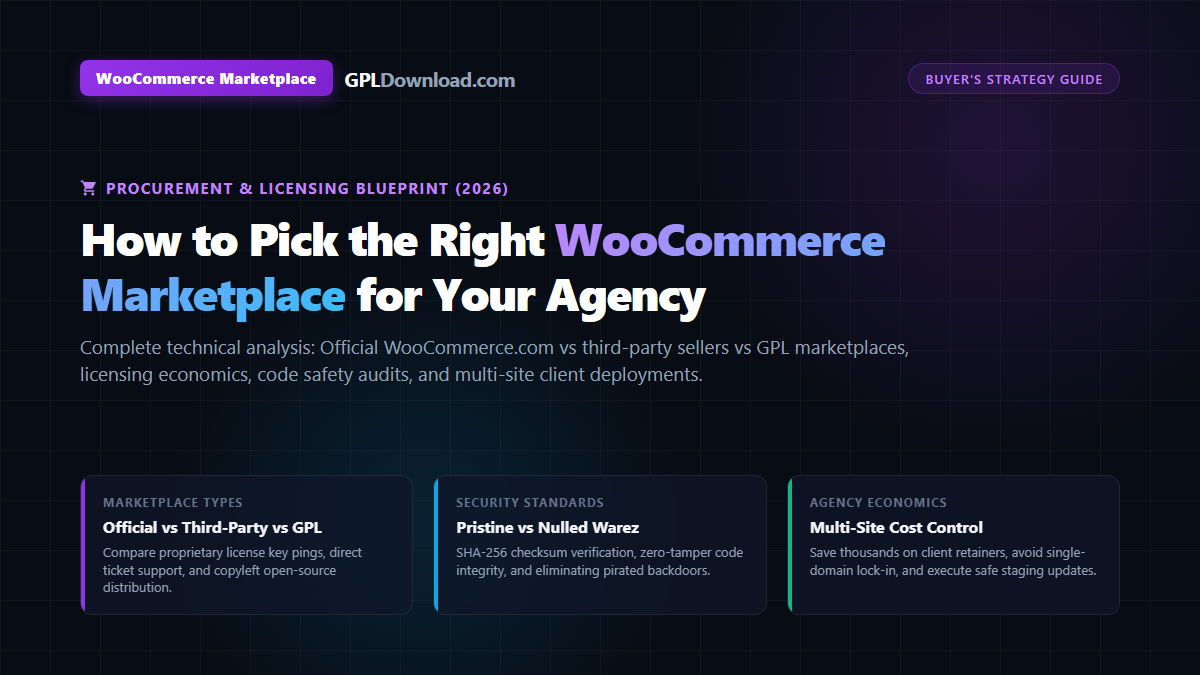
Executive Summary & Marketplace Procurement Framework
- Understanding the Three Marketplace Types: When sourcing extensions for a woocommerce marketplace or e-commerce store, buyers choose between three distinct channels: the official WooCommerce.com marketplace, independent third-party author hubs (Envato/CodeCanyon, YITH), and authentic GPL marketplaces (e.g., GPLDownload).
- The Licensing & Legal Reality: Because WooCommerce core is open-source under GNU General Public License v2 (or later), all derivative PHP extensions inherit the GPL copyleft license. Commercial vendor licenses charge for private 1-on-1 support desks and automatic API key pings, whereas GPL marketplaces legally redistribute the 100% untouched code at deep discounts.
- Security Verification Standard: Avoid illicit “nulled” warez sites that crack plugin binaries and inject malicious backdoors. Reputable GPL marketplaces supply pristine, unadulterated developer packages verifiable against SHA-256 checksums.
- Agency Scaling Economics: Deploying complex e-commerce stacks (such as Sumo Payment Plans, Smart Coupons, Subscriptions, and multi-vendor engines) across dozens of client websites via GPL licensing saves agencies upwards of $10,000 annually while maintaining enterprise-level staging workflows.
WooCommerce powers over 30% of all top-tier e-commerce storefronts on the web today. However, WooCommerce core is intentionally lean. To transform a basic digital shop into a high-converting commercial powerhouse—complete with dynamic payment plans, multi-vendor capabilities, automated customer retention funnels, and advanced shipping rules—merchants and web development agencies must source specialized extensions.
When searching for extensions, users inevitably encounter the broad term woocommerce marketplace. This phrase refers to two distinct concepts: first, the procurement marketplaces where developers buy WooCommerce plugins and themes; and second, the multi-vendor software frameworks that allow store owners to build their own multi-seller platforms (like Amazon or Etsy).
For freelancers, digital agencies, and cost-conscious small businesses in India and across the globe, navigating the procurement landscape is critical. Paying $79 to $299 per single domain for every necessary plugin rapidly inflates agency overhead into tens of thousands of dollars annually. Sourcing extensions strategically without compromising website security or code integrity is the secret to scaling client e-commerce retainers profitably.
In this comprehensive procurement guide, we evaluate the three major marketplace ecosystems, outline a 6-step vendor evaluation checklist, provide real-world cost comparisons, and establish safe staging protocols for production deployments.
Table of Contents
- The Three Kinds of WooCommerce Marketplaces Explained
- Licensing Realities: What You Actually Pay for in Commercial vs. GPL Channels
- Security Reality Check: Pristine GPL Code vs. Nulled Warez Traps
- Must-Have WooCommerce Extensions for Scaling Online Stores
- Real-World Case Study: Sourcing Sumo Payment Plans (Price vs. Support Breakdown)
- Agency Multi-Site Economics: Scaling Client Retainers with GPLDownload
- The 6-Step Vendor and Extension Evaluation Checklist
- Staging Verification and Safe Manual Update Protocols
- Frequently Asked Questions (FAQ)
The Three Kinds of WooCommerce Marketplaces Explained
When procuring extensions for an e-commerce build, web developers choose between three primary distribution models:
1. The Official WooCommerce Marketplace (WooCommerce.com)
Operated directly by Automattic (the commercial arm behind WordPress.com and WooCommerce), the official marketplace hosts verified extensions built both internally and by certified third-party developer partners. Extensions purchased here connect directly to your WooCommerce.com account, providing automated background updates and 30-day money-back guarantees.
- Pros: Guaranteed compatibility with new WooCommerce core releases; seamless 1-click dashboard updates; direct author support desks.
- Cons: Steep annual recurring prices ($79 to $299+ per plugin per single site); agency licensing costs become prohibitive across dozens of client domains.
2. Independent Third-Party Marketplaces (Envato / CodeCanyon & Direct Developer Hubs)
Platforms like CodeCanyon and independent commercial vendors (such as YITH or PluginRepublic) sell proprietary and commercial extensions directly to consumers. These platforms typically bundle six months of author ticket support with the initial purchase.
- Pros: Massive variety of niche plugins; competitive one-time purchase options for single sites.
- Cons: Restrictive single-domain licensing; renewal fees required to maintain support; code quality varies widely between individual authors.
3. Authentic GPL Marketplaces (e.g., GPLDownload.com)
GPL marketplaces operate on the foundational open-source principles of the GNU General Public License. Under Freedom 2 of the GPL, anyone who legitimately obtains GPL-licensed software has the legal right to run, modify, and redistribute that software to others.
- Pros: Unlimited domain usage on staging and client sites; fraction of the original price or flat all-access membership; 100% clean, untouched original developer files.
- Cons: No direct 1-on-1 author support ticket desks; updates require manual zip uploads or staging repository pulls rather than automated license key pings.
If you are also building a multi-seller platform where independent merchants manage their own stores, explore our technical guides on the Dokan plugin and WCFM Marketplace.
Licensing Realities: What You Actually Pay for in Commercial vs. GPL Channels
A common misconception among beginner store owners is that buying from an official vendor is the only legal way to obtain software. In reality, modern commercial WordPress plugin developers operate on a split-service business model.
Because WordPress core is licensed under GNU GPLv2, all PHP code that hooks into core functions is legally classified as a derivative work. The code itself is 100% open-source. When you pay $199/year directly to a plugin author, you are not paying for exclusive copyright ownership of the PHP lines. You are paying for a bundle of supplementary proprietary services:
| Service Component | Official Vendor License | Authentic GPL Marketplace (GPLDownload) |
|---|---|---|
| PHP / Core Source Code | 100% GPL Open Source | 100% GPL Open Source (Identical, untouched code) |
| Domain Restrictions | Strictly 1 to 3 domains (Costly agency tiers) | Unlimited domain deployments across all client builds |
| Direct Author Support | Included (Private ticket desk / live chat) | Basic installation guidance; developer handles custom code |
| Dashboard Updates | Automated 1-click updates via remote API key | Manual zip upload or staging repository update |
| Proprietary Cloud Hubs | Included (Requires active API key) | Local features work; remote SaaS APIs bypassed |
| Cost Structure | High annual recurring fees per site | Low one-time price or affordable flat membership |
For an in-depth legal and technical analysis of copyleft software freedoms under international and Indian copyright statutes, read our authoritative breakdown on what is a GPL plugin and its legal usage.
Security Reality Check: Pristine GPL Code vs. Nulled Warez Traps
The single greatest operational hazard for website owners is confusing legitimate GPL marketplaces with illicit nulled warez portals.
The Toxic Anatomy of Nulled Software
Pirated “nulled” sites do not redistribute software for open-source principles; they use popular plugins as bait to compromise servers. Their crackers tamper with the source code, embedding severe security vulnerabilities:
- Backdoors & Obfuscated Shells: Injected code strings like
eval(base64_decode())that grant hackers remote command execution access to your database and customer tables. - Credit Card Exfiltration Scripts: Rogue JavaScript injected into WooCommerce checkout templates that silently logs and steals customer payment details.
- Hidden SEO Spam Links: Scripts that detect search engine crawlers and inject illicit gambling or pharmaceutical links into your HTML source, causing catastrophic Google de-indexing.
In contrast, pristine GPL marketplaces like GPLDownload never alter, decompile, or crack plugin binaries. They purchase original developer licenses, download the clean archives, and provide the exact, untouched developer zips to members. These files can be independently verified against SHA-256 checksums and local security scanners.
To learn how to audit theme and plugin code before installation, read our technical walkthrough on GPL theme security verification.
Must-Have WooCommerce Extensions for Scaling Online Stores
Regardless of where you procure your tools, every scaling WooCommerce platform requires specialized extensions to maximize average order value (AOV) and customer lifetime value (LTV):
- Flexible Payment Plans & Deposits: Plugins like Sumo Payment Plans enable customers to pay for high-ticket items via installment schedules, deposits, or deferred balances.
- Advanced Retention & Store Credit: Tools like WooCommerce Smart Coupons allow merchants to replace cash refund outflows with digital store credit and issue scheduled gift certificates. Review our practical guide on WooCommerce Smart Coupons for repeat purchases.
- Dynamic Pricing & BOGO Promos: Automated cart condition rules that trigger bulk quantity discounts, free gift injections, and COD-to-UPI incentives. Learn more in our review of the best coupon plugins for WordPress stores in India.
- Multi-Vendor Marketplace Infrastructure: Transforming a standard store into a decentralized platform using Dokan or WCFM Marketplace.
- High-Speed Visual Builders: Building dynamic WooCommerce product templates and checkout archives visually. Check our agency guide on Elementor Pro GPL licensing.
Strategic Procurement Playbooks for Indian Agencies and Freelancers
Navigating client project budgets while delivering enterprise-grade WooCommerce functionality requires a nuanced procurement strategy. Rather than applying a one-size-fits-all approach, high-performing web agencies deploy a hybrid procurement framework:
1. When to Buy Directly from the Official Vendor
Purchasing an official commercial developer license is recommended when a project satisfies three specific conditions:
- Mission-Critical External SaaS Dependencies: The extension relies on continuous, real-time proprietary cloud API connections hosted on the developer’s private infrastructure (e.g., proprietary real-time carrier shipping rating APIs like FedEx/UPS Live Rating, or automated remote cloud backups).
- Enterprise SLA Contractual Requirements: Your corporate client contract explicitly mandates a guaranteed 2-hour vendor support response service-level agreement (SLA) for third-party software components.
- Non-Technical Client Hand-Off: You are handing the website over to an internal client marketing team with zero developer capabilities who require automated, one-click dashboard updates without staging management.
2. When to Source from an Authentic GPL Marketplace
Conversely, sourcing from a reputable GPL repository like GPLDownload is the industry standard for:
- Local PHP Functionality: Extensions that execute entirely on your WordPress hosting server without external cloud pings—such as store credits, payment plan installment schedules, custom product fields, and checkout rule builders.
- Agency Retainer Portfolios: Scaling multiple client storefronts where paying recurring per-site fees would destroy agency profit margins.
- Prototyping & Pitch Staging: Testing new functional concepts, building client pitch demos, and validating custom feature sets prior to final commercial commitment.
Real-World Case Study: Sourcing Sumo Payment Plans (Price vs. Support Breakdown)
To understand the practical commercial math behind marketplace procurement, consider Sumo Payment Plans—the leading WooCommerce deposit and installment payment extension. The plugin allows merchants to offer installment plans, booking deposits, and variable payment schedules on expensive products.
Here is how the procurement options compare for an agency deploying the plugin across client stores:
| Evaluation Parameter | Commercial Marketplace (CodeCanyon) | GPL Marketplace (GPLDownload) |
|---|---|---|
| Upfront Purchase Price | $49 per single site | Included in All-Access Pass (or ~$4.99 one-off) |
| Domain Usage Limit | Strictly 1 site per regular license | Unlimited site deployments |
| Cost for 10 Client Stores | $490 upfront | $0 extra (Covered by flat membership) |
| Annual Renewal Costs | $34.13/site/yr for extended support | Flat, predictable annual renewal |
| Customer Support Channel | Author ticket desk on CodeCanyon | Agency handles code integration independently |
| Core Plugin Capabilities | 100% identical local PHP functionality | 100% identical local PHP functionality |
The Strategic Decision: If you are a beginner site owner who requires step-by-step guidance from the original plugin developer, purchasing a commercial license on CodeCanyon is justified. However, for skilled freelancers and web development agencies who manage their own code integration, paying $490+ across ten client sites for identical open-source PHP code is economically inefficient. Sourcing the pristine GPL distribution from GPLDownload preserves healthy agency profit margins.
Agency Multi-Site Economics: Scaling Client Retainers with GPLDownload
The economic disparity between commercial per-site licensing and authentic GPL procurement becomes staggering as an agency scales. Consider the annual licensing budget for a digital agency managing 20 e-commerce client websites, each requiring a standard e-commerce stack:
| Essential Extension Stack | Commercial Vendor Cost (20 Sites) | GPLDownload All-Access Pass |
|---|---|---|
| WooCommerce Subscriptions | $199 × 20 = $3,980 / year | Included |
| WooCommerce Smart Coupons | $129 × 20 = $2,580 / year | Included |
| Sumo Payment Plans | $49 × 20 = $980 / year | Included |
| Advanced Shipping & Table Rates | $99 × 20 = $1,980 / year | Included |
| Multi-Vendor Engine (Dokan / WCFM) | $249 × 20 = $4,980 / year | Included |
| Total Annual Overhead | $14,500 / year | ~$89 / year |
By leveraging GPLDownload’s All-Access Pass, the agency saves over $14,400 annually in software licensing overhead—capital that can be reinvested into hiring senior talent, acquiring better hosting infrastructure, or offering competitive client pricing.
The 6-Step Vendor and Extension Evaluation Checklist
Before purchasing or downloading any extension from a marketplace, run through this 6-point technical due diligence checklist:
- Untampered Code Guarantee: Verify that the marketplace explicitly guarantees pristine, untouched developer archives without custom bypass loaders or binary modifications.
- Release Update Velocity: Ensure the provider uploads upstream developer updates within 24 to 72 hours of official release to ensure ongoing compatibility with WordPress core.
- PHP 8.1+ Compatibility: Check the plugin changelog to ensure it actively supports modern PHP 8.1 and 8.2 standards and conforms to WooCommerce High-Performance Order Storage (HPOS).
- Transparent GPL Terms: Confirm that the marketplace operates with clear legal disclosures regarding GNU General Public License redistribution rights rather than deceptive claims of “official partnership.”
- Clean Download Infrastructure: Files must be served directly from fast, secure servers without spammy third-party file locker redirects.
- Fair Refund Policy: Ensure the platform backs its catalog with a fair money-back guarantee (such as GPLDownload’s 7-day refund policy).
Staging Verification and Safe Manual Update Protocols
Because GPL plugins are updated by replacing existing archives rather than running automatic 1-click background downloads, agencies must enforce a structured update protocol:
- Full Snapshot Backup: Create an automated off-site database and file backup using UpdraftPlus or hosting server snapshots.
- Staging Sandbox Deployment: Push your live store to a private staging environment. Upload the updated plugin zip file under Plugins > Add New > Upload Plugin, selecting “Replace current with uploaded”.
- Checkout Funnel Regression Test: Test cart additions, discount calculations, payment gateway webhooks, and order status transitions with
WP_DEBUGenabled. - Live Production Push & Cache Flush: Apply the tested update to production during off-peak hours and immediately purge persistent Redis object caching and CDN page caches.
Scale Your E-Commerce Agency with GPLDownload
Access over 4,500+ premium WooCommerce extensions, WordPress themes, and page builder tools under authentic GPL licensing. 100% original developer code, regular updates, and unlimited website usage.
100% untouched source code • Unlimited website installations • 7-day money-back guarantee
Frequently Asked Questions (FAQ)
What is the difference between WooCommerce.com and GPL marketplaces?
WooCommerce.com is the official commercial vendor marketplace that sells plugins bundled with automatic license-key updates and direct author technical support desks at high recurring annual prices. GPL marketplaces like GPLDownload distribute the identical, untouched open-source PHP code under the GNU General Public License at a fraction of the cost, without direct developer support.
Is it legal to buy WooCommerce extensions from a GPL marketplace?
Yes. Because WooCommerce core is licensed under the GNU General Public License (GPL), all derivative PHP plugins inherit the copyleft license. Under Freedom 2 of the GPL, redistributing authentic copies of GPL software is completely lawful under international and Indian copyright laws.
Will my WooCommerce plugins stop working if I don’t renew a license key?
No. Standard WooCommerce plugins run locally on your web hosting server and do not require an active license key for local PHP execution. License keys in the commercial model are strictly used for in-dashboard automatic updates and author support ticket desks.
Setup guides for the two leading options: Dokan multi-vendor setup and WCFM Marketplace setup. Whichever you choose, pair it with CheckoutWC and WooCommerce Dynamic Pricing & Discounts from our GPL plugins catalog, and check the best GPL sites before you buy anywhere.
How do updates work when using extensions from GPLDownload?
When an original developer releases a software update, GPLDownload obtains the new version and uploads it to the repository. Members download the updated zip file and upload it to their WordPress site under Plugins > Add New > Upload Plugin, selecting “Replace current with uploaded” after verifying on staging.