
Is Elementor Pro GPL Legal? Safety, Updates and What Works (2026)

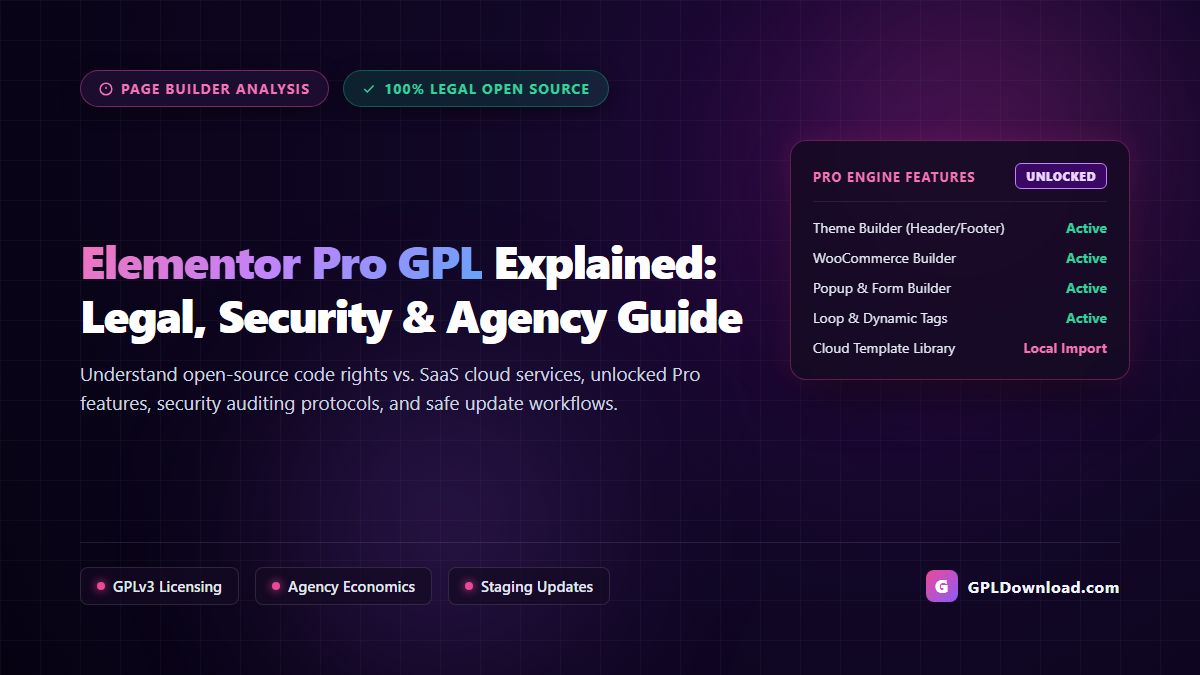
Key Takeaways: Elementor Pro GPL Decoded
- Open-Source PHP Engine: Elementor Pro is built upon WordPress and licensed under the GNU General Public License (GPLv3). Its local PHP code—including the Theme Builder, WooCommerce Builder, Popup Builder, and Loop Grid—is legally open source and redistributable.
- Local Code vs. Cloud Services: A GPL distribution unlocks all core visual design widgets and theme-building capabilities. However, cloud-dependent services (Elementor AI and the cloud-hosted Template Library) require direct author API keys.
- Template Library Workaround: Freelancers and agencies can import pre-designed Elementor template kits locally via JSON/ZIP uploads without needing a cloud subscription.
- Security Over Convenience: Sourcing clean, untouched vendor packages from verified marketplaces like GPL Download eliminates the severe malware, backdoors, and SEO spam risks rampant in pirated “nulled” warez.
- Version Synchronization Rule: Always keep Elementor Free and Elementor Pro version numbers tightly synchronized, and test updates on a staging clone before production deployment.
Elementor has transformed modern web development, powering millions of active WordPress websites with its intuitive visual canvas. For freelance designers, digital agencies, and small businesses in India, upgrading from the free version to Elementor Pro is essential for crafting professional headers, customized WooCommerce stores, dynamic post loops, and marketing popups.
However, official licensing costs represent a steep barrier for budget-conscious creators. With Elementor Pro priced in US Dollars ($59/year for a single site, $199/year for 25 sites, and $399/year for agency tiers)—compounded by 18% GST and credit card foreign transaction fees—many Indian developers seek cost-effective alternatives through elementor pro gpl packages.
Yet using a redistributed page builder prompts urgent questions: What features actually function without a license key? Is it legal and safe for client websites? How do you handle version updates without breaking production layouts? In this comprehensive guide, we dissect the legal, technical, and security realities of Elementor Pro under the GPL, providing agencies with a secure, sustainable roadmap.
In This Guide:
- What Exactly Is Elementor Pro GPL?
- Code vs. Cloud Services: What Works and What Is Restricted?
- Importing Elementor Template Kits Without a Cloud License
- Legal and Commercial Implications for Agencies in India
- Security Audits: Verified GPL vs. Dangerous “Nulled” Elementor Warez
- Version Synchronization and Staging Update Workflows
- Theme and WooCommerce Compatibility Best Practices
- Sourcing Verified Elementor Pro Packages on GPL Download
- Frequently Asked Questions
What Exactly Is Elementor Pro GPL?
To understand what people mean by elementor pro gpl, you must examine the licensing architecture of WordPress itself. WordPress core is licensed under the GNU General Public License (GPLv2 or later). Under open-source licensing principles upheld by the Free Software Foundation and the WordPress Foundation, software that deeply integrates with WordPress core APIs, hooks, and database schemas constitutes a “derivative work.”
Elementor Ltd. distributes both Elementor Core (free on WordPress.org) and Elementor Pro under the GNU General Public License (GPLv3). Under the legal terms of GPLv3, the software code is not owned exclusively by the vendor once distributed. Any user who legitimately acquires a copy of the software receives the legal freedom to run the software on unlimited websites, inspect and modify the code, and redistribute copies to others.
Therefore, an “Elementor Pro GPL” package is simply the authentic premium plugin code redistributed by an active subscriber under the legal permissions of the GNU GPL. It is not pirated software or cracked intellectual property; it is the open-source PHP code operating under its original, intended license.
Code vs. Cloud Services: What Works and What Is Restricted?
The most important operational distinction every agency must grasp is the line between local PHP execution and proprietary cloud services. When you install Elementor Pro under GPL redistribution, you are running the software engine locally on your web server without connecting to Elementor’s proprietary SaaS activation servers.
Pro Features That Work Flawlessly Locally
Because the core visual editing engine executes entirely on your WordPress hosting server, nearly all high-value design features function completely without license verification:
- The Complete Theme Builder: Build custom site-wide Headers, Footers, 404 Error pages, Single Post templates, and Category Archives with custom display conditions.
- WooCommerce Builder: Design custom Single Product layouts, Cart pages, Checkout flows, and My Account pages using Elementor Pro’s dedicated eCommerce widgets.
- Popup Builder: Create high-converting modal windows, slide-in lead magnets, exit-intent offers, and announcement banners with advanced user triggers and display rules.
- Loop Builder & Dynamic Tags: Construct custom post type query grids, portfolio showcases, and inject custom fields (via ACF or Meta Box) dynamically into design elements.
- Form Builder with Webhooks: Build responsive multi-step inquiry forms, collect leads directly in the WordPress database, and send instant webhooks to Zapier, Pabbly, or Mailchimp.
- Custom CSS & Motion Effects: Inject widget-level custom CSS rules, mouse-track parallax animations, and sticky scrolling effects.
Features That Require an Official Cloud License
Conversely, services that rely on Elementor’s external API servers will not function on a redistributed installation:
- Elementor Cloud Template Library: The direct in-editor cloud browser containing Elementor’s hosted full-site kits and pre-designed block templates checks for active API tokens.
- Elementor AI: The integrated AI copywriting and image generation assistant operates on Elementor’s remote subscription cloud servers and requires an active subscription.
- Automated Dashboard One-Click Updates: The convenience of clicking “Update Now” inside the WordPress dashboard requires an active license key linked to Elementor’s update CDN.
- Official Author Helpdesk Support: 1-on-1 private ticket support from Elementor’s corporate customer success team is reserved for direct account holders.
| Elementor Pro Capability | Official Subscription ($59–$399/yr) | GPL Redistribution Package |
|---|---|---|
| Theme & WooCommerce Builder | 100% Unlocked | 100% Unlocked (Runs locally) |
| Popup & Form Builders | 100% Unlocked | 100% Unlocked (Runs locally) |
| Domain & Client Limit | Strictly capped by plan (1, 25, or 1000) | Truly unlimited websites & staging sites |
| Cloud Template Library | Direct 1-click cloud import | Requires manual local JSON/ZIP import |
| Update Mechanism | Automated 1-click dashboard feed | Manual zip upload via dashboard/staging |
| Annual Recurring Overhead | High recurring US Dollar costs + GST | Affordable one-time fee or All-Access Pass |
Importing Elementor Template Kits Without a Cloud License
The inability to click “Insert” on Elementor’s cloud library is often cited as a drawback of GPL installations. However, professional agencies rarely use generic cloud templates without substantial customization. Furthermore, WordPress provides a robust built-in mechanism to import complete kits locally.
Rather than relying on Elementor’s cloud servers, you can utilize complete offline template kits:
- Source Offline Template Kits: Download verified, full-site template packages from our curated Elementor Template Kits library, featuring complete kits for medical clinics, digital marketing agencies, SaaS landing pages, and online boutiques.
- Import via Elementor Tools: Navigate to Elementor → Tools → Import / Export Kit inside your WordPress dashboard.
- Upload the Kit Archive: Select your downloaded ZIP package. Elementor will automatically parse the kit, importing global typography, color styles, site settings, Theme Builder headers and footers, and page layouts locally.
- Individual Page JSON Import: For standalone sections or single landing pages, navigate to Templates → Saved Templates, click Import Templates, and upload the individual
.jsonlayout file.
By leveraging local template imports, agencies gain complete design freedom without maintaining an active cloud connection to Elementor servers.
Legal and Commercial Implications for Agencies in India
For independent developers and creative studios across India, commercial software procurement is heavily distorted by currency conversion rates. When an agency licenses Elementor Pro’s 25-site tier at $199 USD per year, adding 18% Indian GST and standard 3.5% foreign currency transaction markups pushes the annual cost beyond ₹20,000 INR. If your agency builds local business websites charging ₹15,000 to ₹30,000 INR per project, recurring software licensing fees severely damage operating margins.
Under international copyright law and the Indian Copyright Act, open-source licenses like the GNU GPL are fully enforceable legal contracts. When you use a legitimate GPL-licensed version of Elementor Pro, you are not engaging in software copyright infringement. The original authors chose the GPL framework, which grants users the legal right to run the code for commercial client projects.
For detailed guidance on agency client contracts and structuring commercial agreements, read our guide on how to use GPL-licensed WordPress themes and tools safely on client sites.
Security Audits: Verified GPL vs. Dangerous “Nulled” Elementor Warez
While genuine GPL software is clean and lawful, the internet is flooded with shady warez portals offering “free nulled Elementor Pro.” Confusing genuine GPL distributors with illegal warez sites is the fastest way to compromise a client’s business.
The Threat Profile of “Nulled” Page Builders
Page builders run with high privileges across your WordPress installation. When crackers modify (“null”) Elementor Pro files, they frequently inject malicious payloads designed to evade casual detection:
- Dynamic Backdoor Injections: Obfuscated PHP code hidden in utility files (often disguised within
compat.phpor base classes) that allows attackers to upload arbitrary PHP scripts to your/wp-content/uploads/directory. - Conditional SEO Cloaking: Malicious scripts that detect Googlebot and Bingbot user agents, dynamically replacing your client’s meta titles and headings with spam links for gambling or illicit pharmaceuticals.
- Database Credential Harvesting: Scripts that scrape database connection strings from
wp-config.phpand transmit them to external command-and-control servers.
How Verified GPL Marketplaces Protect Your Code
Reputable open-source marketplaces operate on an entirely different model. Platforms like GPL Download purchase authentic, direct agency subscriptions from original developers. The downloaded files are never reverse-engineered, cracked, or injected with third-party tracking.
Before any package is published, it undergoes rigorous multi-layer security auditing, including static analysis with tools like PHP_CodeSniffer and multi-engine antivirus verification via VirusTotal. Learn more about our verification protocols in why GPL Download is the trusted alternative for WordPress developers.
Version Synchronization and Staging Update Workflows
Because Elementor relies on a two-plugin architecture—Elementor Core (Free) and Elementor Pro (Addon)—managing version updates requires technical discipline. When Elementor releases a major core update (such as transitioning from 3.20 to 3.21), database structures, widget schema definitions, and DOM rendering engines are frequently refactored.
If WordPress automatically updates Elementor Core from WordPress.org while your Elementor Pro addon remains on an older build, fatal PHP errors or broken page styling can occur. To eliminate update friction, follow this proven staging workflow:
- Disable Automatic Background Updates: In your WordPress dashboard, disable auto-updates for Elementor Core. This ensures that updates only execute when you are ready to test both packages simultaneously.
- Test on a Staging Environment: Clone the client site to a staging subdomain using an agency migration plugin like All-in-One WP Migration Pro. Review our analysis of the best WordPress migration plugins for agencies.
- Update Elementor Free and Pro in Tandem: Download the latest verified Elementor Pro package from GPL Download, upload it via Plugins → Add New → Upload Plugin, and update Elementor Core to the matching minor version release.
- Regenerate CSS & Data: After updating, always navigate to Elementor → Tools → General and click Regenerate Files & Data. This forces Elementor to rebuild compiled CSS stylesheets and clear widget caches.
- Verify Front-End Layouts: Inspect responsive breakpoints, contact form submissions, and WooCommerce checkout funnels before pushing updates to production.
Theme and WooCommerce Compatibility Best Practices
To maximize performance and avoid visual glitches when using Elementor Pro, your underlying theme and plugin ecosystem must be lightweight and properly integrated.
For custom business websites, pair Elementor Pro with ultra-fast, minimalist themes like Hello Elementor, Phlox Pro, or responsive frameworks evaluated in our guide to the best free WordPress themes for small businesses in India.
For eCommerce builds, Elementor Pro’s WooCommerce Builder integrates smoothly with conversion tools like CheckoutWC to replace clunky standard checkouts with streamlined, mobile-optimized checkout funnels.
Finally, page builders generate substantial DOM depth. To keep Google PageSpeed scores in the green, pair your installation with an advanced caching solution like W3 Total Cache Pro. Follow our comprehensive optimization guide to speed up WordPress and pass Core Web Vitals.
Sourcing Verified Elementor Pro Packages on GPL Download
At GPL Download, we provide web professionals, freelancers, and business owners with a transparent, secure, and affordable software procurement pipeline:
- Direct Author Subscriptions: We maintain official developer accounts with top software creators. Every package is obtained directly from authentic repositories.
- 100% Original & Untouched Code: We never inject ads, reverse-engineer code, or alter internal file structures. You receive authentic vendor code.
- Continuous Version Tracking: When critical security patches or feature releases drop, our catalog updates rapidly to ensure client site protection.
- Unlimited Staging & Client Deployments: Build, stage, and deliver client projects across unlimited domains without per-site license penalties.
- The All-Access Agency Pass: Gain unlimited downloads across over 4,500 premium WordPress themes, Elementor kits, and conversion plugins through our GPL Download All-Access Pass—backed by our 7-day money-back guarantee.
Frequently Asked Questions
Will my Elementor Pro layouts break if I don’t enter a license key?
No. All visual elements, Theme Builder templates, popups, and custom styling rules are processed locally by your server’s PHP engine. Your live website layouts and design blocks will render normally without an active license key.
Can I access Elementor’s cloud template library with a GPL version?
No. Elementor’s cloud template library verifies license keys directly with Elementor’s remote servers. However, you can import offline Elementor template kits locally via Elementor → Tools → Import / Export Kit using ZIP or JSON files obtained from verified repositories.
Is it legal to use Elementor Pro GPL for commercial client projects in India?
Yes. Because Elementor Pro is distributed under the GNU General Public License (GPLv3), users are granted the legal right to run, modify, and redistribute the code for any purpose, including commercial client website design and development.
How do I update Elementor Pro when using a GPL version?
When a new version is released, download the updated plugin ZIP from your GPL marketplace account. Upload and replace the plugin inside your WordPress dashboard (under Plugins → Add New → Upload Plugin) or via FTP. Always test updates on a staging clone first.
What is the difference between a GPL version and a nulled version?
A verified GPL version is clean, original code obtained through a legitimate developer subscription and redistributed under open-source license rights. A nulled version is cracked by third-party pirates and frequently contains hidden malware, backdoors, and SEO spam injections. Read our detailed analysis on what a GPL theme is and whether it is legal to use.
Why should I keep Elementor Free and Elementor Pro version numbers aligned?
Elementor Pro functions as an extension of Elementor Core. When major updates refactor underlying widget architecture, running mismatched versions can trigger fatal PHP errors or prevent the visual editor canvas from loading.
Elementor add-ons and Elementor-ready themes in our catalog include Motionger, Headinger, Fullpage.js for Elementor, Phlox Pro and Onum. Get the plugin itself from our Elementor Pro GPL download page.
Build Extraordinary Visual Websites with Complete Confidence
Understanding the balance between open-source code freedoms and proprietary cloud services empowers your agency to harness the full creative power of Elementor Pro without incurring unsustainable recurring costs. By prioritizing verified clean sources, disciplined staging workflows, and local template kits, you deliver high-converting, world-class websites while preserving agency profitability.
Explore thousands of authentic, verified themes, template kits, and extensions on GPL Download today, and elevate your design workflow with complete peace of mind.
Supercharge Your Visual Workflow with Verified GPL Tools
Access 4,500+ premium WordPress themes, Elementor kits, and conversion plugins with zero domain restrictions. Backed by clean code guarantees, regular updates, and our 7-day refund guarantee.